
Connect Chatoptic to ChatGPT, Claude, Cursor, n8n, and other MCP clients to analyze visibility, compare competitors, trace citations, and automate workflows.




Chatoptic MCP is the external connection layer for the data and functions used by Chatoptic AI Assistant.
It uses the Model Context Protocol to make those capabilities available inside supported external tools like ChatGPT, Claude, Cursor, n8n, or another MCP client. Once connected, your preferred AI client can access visibility results, prompts, complete answers, query fan-out, citations, competitors, personas, research, content, and reports for a selected domain.
Chatoptic AI Assistant gives you a direct way to talk with your data inside the platform. But your team may already work inside another AI tool, coding environment, or automated workflow.
Without an external connection, using Chatoptic data in those tools requires copying answers, exporting reports, moving files, or rebuilding context every time.
This also limits workflows that need to combine Chatoptic with other business data. A team may want to include AI visibility in a wider report, connect citation gaps with a content process, or analyze Chatoptic results from its existing AI workspace.
Chatoptic MCP brings the same data and functions outside the dashboard, allowing supported tools to use Chatoptic as a live source of context.
Open the MCP section in your Chatoptic settings and choose the domain whose data you want to make available.
Each connector and API key is tied to one domain. A connection created for one domain cannot read data from another.
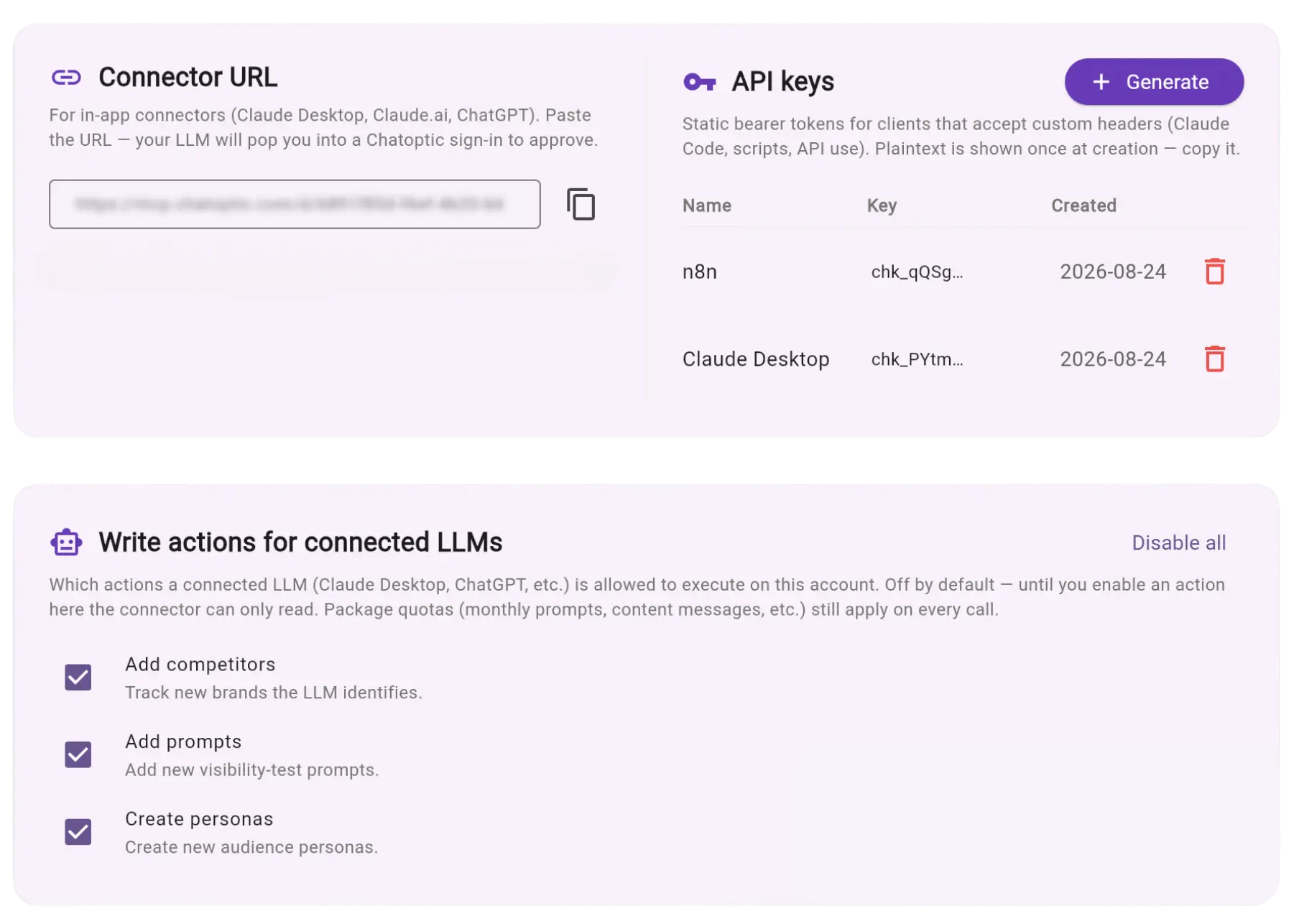
Copy the Connector URL from your dashboard and add it to a supported MCP client.
Clients that support sign-in can connect through OAuth using your regular Chatoptic account. Clients that use tokens can connect with a domain-specific API key generated in your settings.
No custom integration needs to be built.
Once connected, ask questions about your Chatoptic data directly from the tool where you already work.
For example:
The client decides which Chatoptic functions are required and retrieves the relevant data.
The MCP connection can provide access to:
Tools such as n8n can use this data inside broader AI workflows, while ChatGPT, Claude, and Cursor can use it as context for analysis and follow-up questions.
Chatoptic MCP is read-only by default. External clients can retrieve and analyze data but cannot change your account.
You can separately enable specific actions that allow a connected tool to:
Access is checked on every request. Revoking an API key, removing domain access, or changing to a plan without MCP access stops the connection.

Chatoptic AI Assistant is built into the Chatoptic dashboard and works without any setup.
Chatoptic MCP makes the same Chatoptic data and functions available to external AI tools and workflows.
Chatoptic MCP works with clients that support the Model Context Protocol, including ChatGPT, Claude Desktop, Claude Code, Cursor, and n8n.
The connection method depends on whether the client supports OAuth or token-based access.
Depending on your plan, it can access visibility metrics, tracked prompts, complete LLM answers, query fan-out, citations, competitors, personas, chats, focus groups, buyer simulations, generated content, reports, tags, and recent insights.
Features not included in your plan are not available through MCP.
Not by default. Every connection starts with read-only access.
Adding competitors, generating prompts, and generating personas must each be enabled separately in your dashboard.
Yes. Every Connector URL and API key is tied to one Chatoptic domain.
A connection created for one domain cannot access another domain.
OAuth lets you connect by signing in with your normal Chatoptic account and approving access.
An API key is used by clients that connect with a token. Both methods remain limited to the selected domain.
Yes. MCP clients such as n8n can use Chatoptic data as part of an AI workflow.
Read-only workflows can retrieve and analyze data immediately. Actions must first be enabled separately in Chatoptic.
Access is checked whenever a client sends a request.
Connections are domain-specific, read-only by default, and can be revoked from your settings. API keys should be kept private and replaced if exposed.
No. You ask your question in plain language, and the external AI client decides which Chatoptic functions it needs to call.
The technical function list is available for reference but does not need to be used manually.
No. Your plan must include MCP access before the connection settings become available.
The data and functions exposed through MCP also depend on the other features included in your plan.
Discover how your brand is perceived in AI.